 Blog
Blog
Chemical Inventory Software: A Lab's Practical Guide
Annual chemical inventory reviews are common, some institutions require updates every 6 months, and certain laboratory-prepared reagents may be exempt only when they're used or disposed of within 48 hours. Chemical inventory software is a digital tool that helps laboratories track hazardous materials, manage Safety Data Sheets, support compliance, and organize reagent workflows around those operational demands.
A researcher opens a cabinet looking for a bottle that was supposedly moved last week. The spreadsheet says one shelf, a handwritten label points to another, and the person who knows where it is working in a different room. Meanwhile, an expired reagent sits behind newer stock, an SDS is buried in an email attachment, and the next inventory review is approaching.
By Multimod Labs.
Table of Contents
- What Chemical Inventory Software Actually Is
- Core Features and Advanced Capabilities
- Deployment Models and System Integration
- Closing the Accuracy Gap with On-Device Capture
- A Buyer's Checklist for Wet-Lab Teams
- Building a Reliable Laboratory Record
What Chemical Inventory Software Actually Is
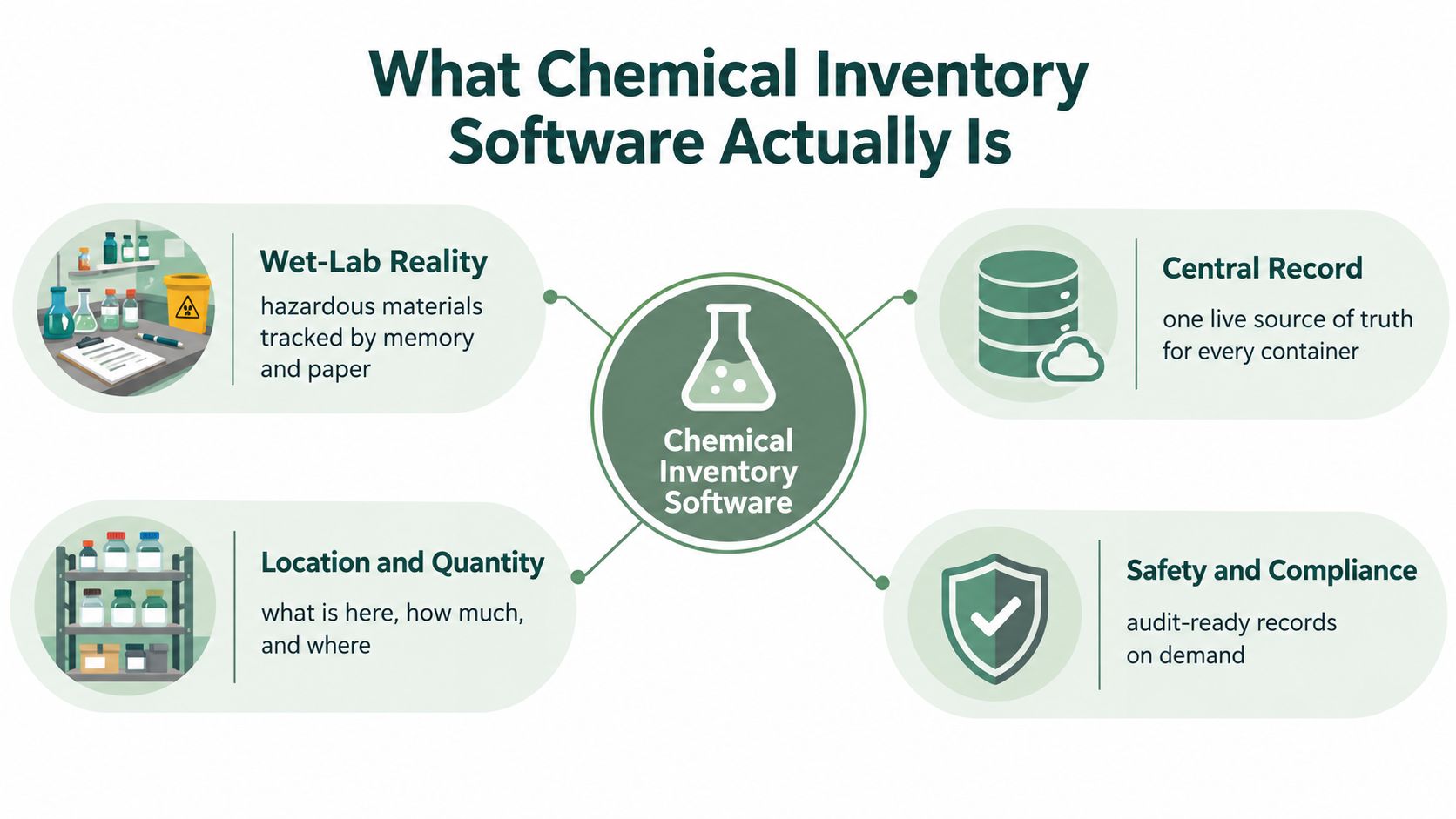
Chemical inventory software is the digital control layer between physical containers and the records a laboratory needs for safe operation. It records more than a product name. A useful system connects a specific container with its location, quantity, hazard information, storage conditions, owner, SDS, and status.
That distinction matters on a busy bench. “Acetone” in a database is incomplete if the laboratory has several containers in different rooms, with different quantities, owners, or storage arrangements. The practical questions are more precise:
- What is this container?
- Where is it stored now?
- How much remains?
- What hazards and storage constraints apply?
- Is the SDS available and current?
OSHA's Hazard Communication Standard, 29 CFR 1910.1200, requires employers to maintain a written hazard communication program containing a list of hazardous chemicals in the workplace with cross-referenced SDSs. It doesn't require a particular software product, so laboratories have historically used spreadsheets, barcode systems, and dedicated platforms to meet the recordkeeping need. Laboratory chemical inventory management guidance describes how universities and research institutions have formalized these workflows into structured systems.
From a list to an operational record
A spreadsheet can hold a chemical name and quantity. Dedicated software aims to make that information searchable, assignable, and connected to a physical storage map. It can help EHS staff find containers during an inspection, identify materials in a room, and prepare reports without asking every researcher to reconstruct their own records.
The value appears when the system reflects the way the laboratory works. Storage locations should match cabinets, shelves, refrigerators, freezers, gas-cylinder areas, and waste points. Container records should follow materials through purchase, creation, storage, use, and disposal until they're fully consumed, as recommended in chemical storage guidance from Kent State.
A system also has limits. It doesn't know that a bottle moved unless somebody records the move. It can't make a neglected spreadsheet accurate by importing it. For laboratories reviewing storage layouts or material-handling practices, Material Handling USA lab solutions provides useful context around the physical side of laboratory organization.
Practical rule: The inventory record is only as trustworthy as the last container movement, opening, transfer, or disposal that someone captured.
That maintenance reality is central to choosing a laboratory inventory system. The strongest platform on paper can become a polished version of an outdated spreadsheet if researchers find updates slow, confusing, or disconnected from bench work.
Core Features and Advanced Capabilities
A chemical inventory platform earns its place at the bench by making accurate updates easier than postponing them. Feature lists often give scanning, reporting, automation, and integrations equal weight. In practice, the order matters. Fast capture comes first, consistent records follow, and advanced functions are useful only while the underlying data stays current.
Capture at the point of work
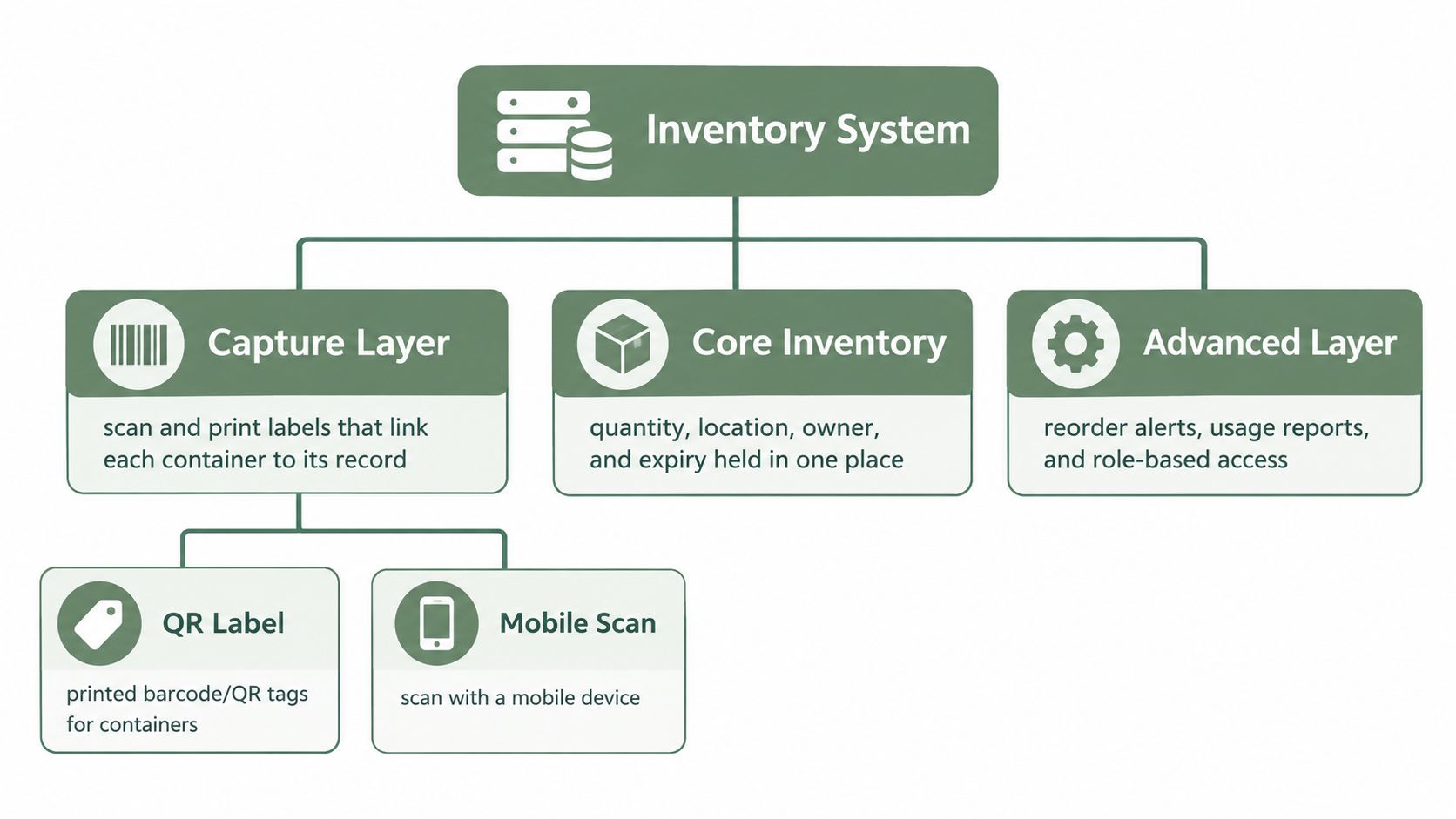
Barcode or QR scanning connects a digital entry to the bottle being received, moved, opened, used, or discarded. It reduces manual searching and makes the expected action clear. Someone still has to scan the container, so the workflow should take seconds, work on the devices staff already use, and remain practical when gloves, cold rooms, or busy benches get in the way.
A workable record should cover three layers:
- Container identity: Barcode ID, lot or batch number, expiry date, and quantity.
- Substance identity: Chemical name, CAS number, hazard classes, SDS reference, and UN or NA number where applicable.
- Storage context: Room, cabinet, shelf, temperature, pressure, segregation rule, and required PPE.
These layers address different errors. A correct chemical name does not confirm which bottle contains it, where that bottle sits, or which storage conditions apply. The system should also make expiry review part of routine work rather than leaving it to occasional searches. A guide to monitoring reagent expiration offers useful context for assessing expiry dates, lot records, and first-expiring-first-out practices.
SDS and hazard context
SDS access should sit beside the material or container record, not in a separate document hunt. Staff need a clear way to identify the current document, manage revisions, and flag missing files. Hazard classes, storage rules, and PPE requirements turn inventory data into instructions that support receiving, use, inspections, and waste handling.
Depending on the facility and jurisdiction, the system may support OSHA HazCom, GHS, WHMIS, EPA EPCRA Tier II, TRI, TSCA, RCRA, and state or local Right-to-Know obligations. Chemical inventory software guidance from EHS Insight treats SDS access as part of chemical inventory control rather than an optional document feature.
Scaling beyond basic tracking
Multi-site controls can separate facilities, rooms, responsible groups, and reporting scopes. Role-based permissions can let researchers maintain their own containers while EHS staff review broader records. Low-stock alerts, usage reports, and reorder workflows can support procurement, provided someone checks whether consumption patterns and thresholds still reflect actual bench work.
Bulk import saves time during migration, but it can also create duplicate records, inconsistent names, and blank storage fields. Review ownership, naming rules, and exception handling should be agreed before importing. Otherwise, the system turns old spreadsheet problems into a larger maintenance queue.
A laboratory software overview helps distinguish inventory functions from documentation functions. Verbex: Voice Lab Notebook (iPhone and iPad app) captures voice notes, typed notes, timers, and photos on a device, then organizes them into a structured record for PDF, Word, or Markdown export to an ELN. It is not an inventory system. Its role is alongside container controls, not as a replacement for them.
Deployment Models and System Integration
Deployment choice affects access, governance, security, and the amount of work required from laboratory IT. Cloud systems usually make browser access, vendor maintenance, and centralized updates straightforward. On-premise systems can give an organization more direct control over hosting, network access, and data location, but they place more responsibility on internal administrators.
Neither model automatically produces accurate inventory data. A cloud platform may be easy to open from a phone yet fail if the mobile workflow is awkward. An on-premise installation may fit a strict data environment yet become difficult to maintain if the team lacks time for upgrades, backups, permissions, and support.
| Decision area | Cloud deployment | On-premise deployment |
|---|---|---|
| Access | Convenient across approved locations and devices | Can be tightly controlled within the organization's network |
| Maintenance | Vendor typically manages platform updates | Internal teams manage infrastructure and updates |
| Data governance | Requires review of hosting, retention, access, and vendor terms | Provides direct control over local hosting and access policies |
| Integration | Often supports web-based connections, subject to verification | May fit established internal systems but need more technical work |
| Operational risk | Depends on connectivity and vendor availability | Depends on internal resilience, backups, and support capacity |
The integration question deserves more attention than a vendor's logo wall. An inventory platform may need to exchange information with an ELN, LIMS, procurement tool, ERP, waste system, or identity provider. Teams should ask whether the connection is a verified live integration, a scheduled import, a manual export, or merely a roadmap item.
A system that exports clean, usable records is often more practical than one that promises integrations nobody has tested.
Small laboratories may prefer a focused platform with a mobile workflow and simple permissions. A multi-site organization may need stronger governance, shared taxonomies, audit trails, and facility-level reporting. The right choice depends on who enters data, where containers move, which systems own authoritative fields, and what happens when a connection fails.
Before signing, the laboratory should test a realistic sequence: receive a bottle, label it, assign a location, attach an SDS, move it, record partial use, flag expiry, and dispose of it. If that sequence requires workarounds, the deployment model won't solve the underlying adoption problem.
Closing the Accuracy Gap with On-Device Capture
The hidden cost of chemical inventory software is maintenance. A platform can track containers, locations, hazards, SDSs, and reports, but the database still depends on researchers capturing changes while work happens. If a bottle label is hard to read, a new lot number is copied incorrectly, or a moved container remains assigned to its old shelf, the system's apparent precision becomes misleading.
The problem is especially visible in small laboratories. Researchers may postpone updates until the end of a long experiment, jot a note on a glove or protocol margin, and then try to reconstruct the event later. That workflow creates uncertainty around what changed, when it changed, and which container was involved.
Capture must fit the bench
A useful capture layer should support more than voice. Hands may be occupied, but some moments call for a typed note, timer, photograph, or quick confirmation. Material-label images can help turn difficult label reading into structured entries when the image is sufficiently legible, but a scientist still needs to review the result before it becomes an inventory record.
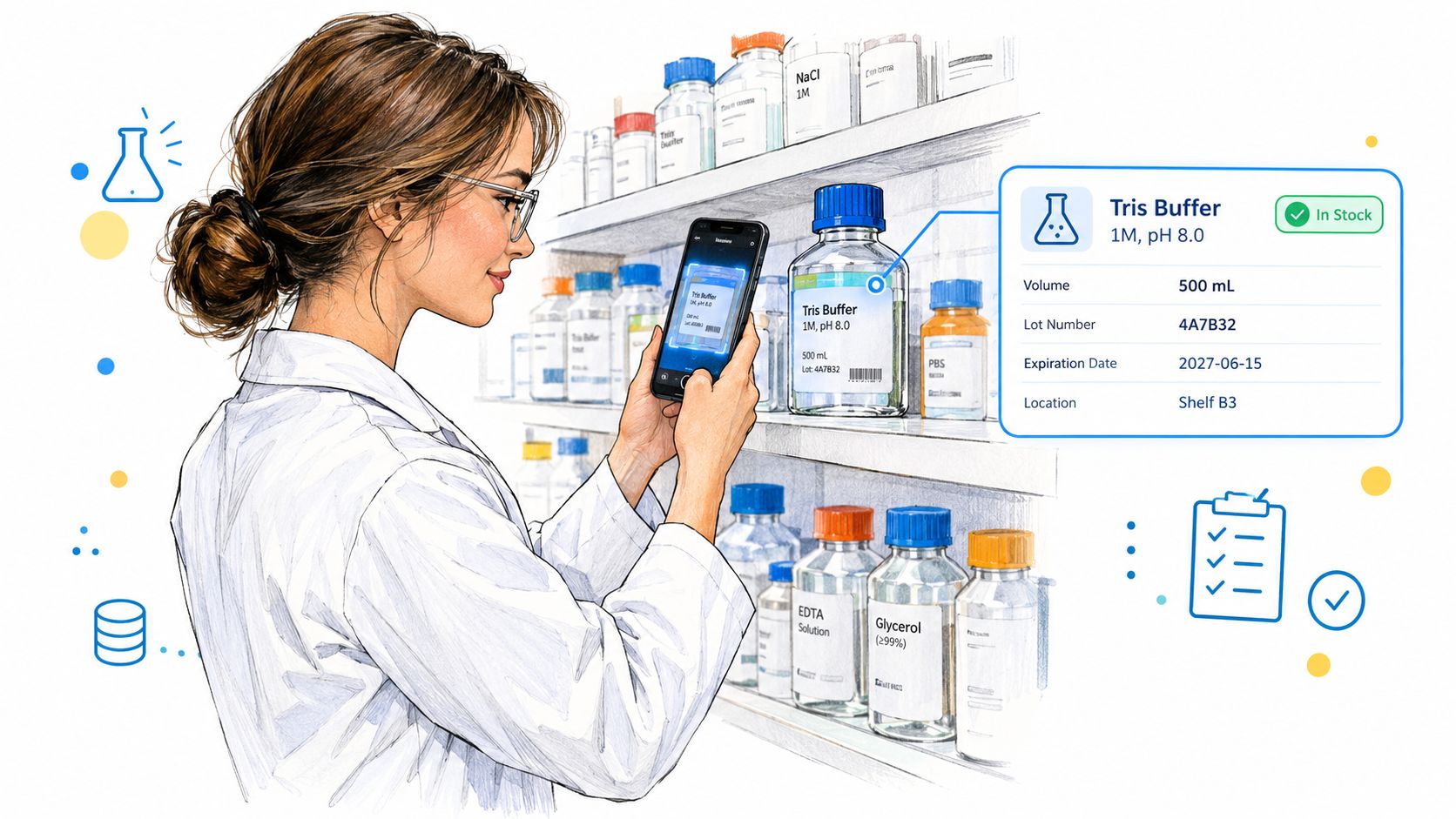
On-device transcription for laboratory notes can support a related workflow, but documentation capture and inventory control remain separate jobs. A note saying that a bottle was opened is not the same as updating the authoritative stock record. It can, however, preserve source context so a responsible person can verify and apply the inventory change.
The right division of responsibility
An on-device lab documentation app such as Verbex can capture a reagent-label image in the Materials section and process sufficiently legible text on the iPhone into structured Materials entries. Users can also record typed or voice notes, attach images, and use timers. Review and Complete creates a source-backed organized draft for human review, while supported devices may offer an additional ELN-style draft when local Apple Intelligence processing succeeds.
That workflow doesn't independently decide scientific meaning, manage inventory, or synchronize automatically with an ELN or LIMS. Processing occurs on the iPhone, with no account, cloud AI, cloud storage, advertising, analytics, or tracking. The scientist reviews the record and exports it as PDF, DOCX, or Markdown for the existing documentation workflow.
The operational lesson is broader than any one app:
- Capture the source event promptly.
- Keep the container identity visible.
- Separate suggested fields from approved inventory data.
- Assign a person responsible for final updates.
- Retain enough context to resolve uncertainty later.
Automation should shorten the path to a verified record, not remove the person responsible for verifying it.
A Buyer's Checklist for Wet-Lab Teams
A vendor demonstration should begin with the laboratory's hardest routine, not a polished dashboard. The team should bring an actual container, a representative SDS, a real storage map, and a realistic movement scenario. A system that performs well with clean sample data may behave very differently when labels are inconsistent and locations have local names.
Questions to put in the evaluation
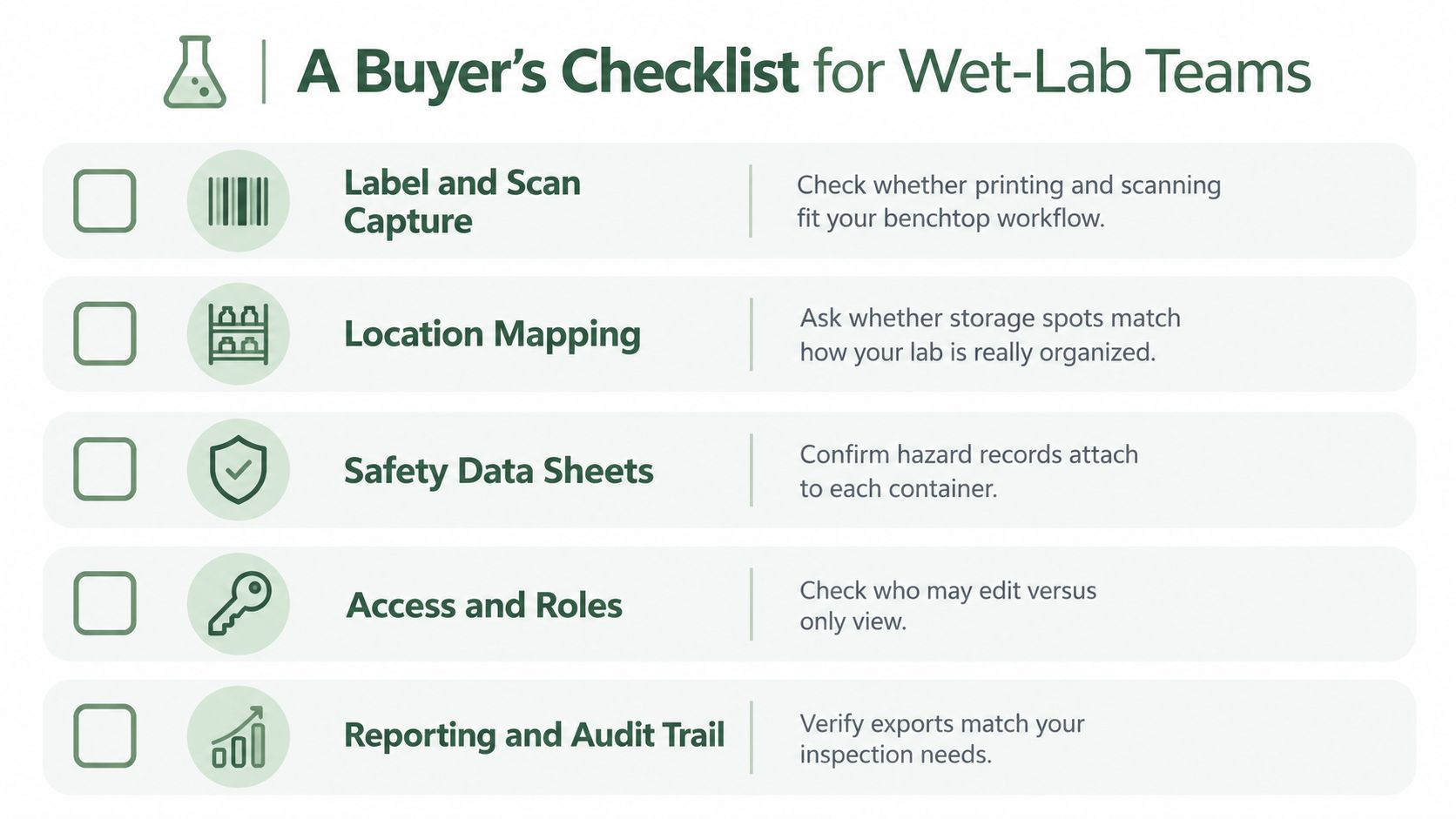
Can users scan at the bench? Test barcode and QR label printing, mobile scanning, offline behavior if relevant, and the number of steps required for receipt, movement, use, and disposal.
Does the location model match reality? Check whether the system can represent the laboratory's actual buildings, rooms, cabinets, shelves, refrigerators, freezers, gas areas, and waste locations. A generic “lab storage” field isn't enough for a crowded facility.
Can every container carry the necessary context? Confirm support for concentration, CAS number, container size, amount on hand, physical state, container type, purity or mixture status, lot, expiry, storage condition, hazard class, SDS, and PPE where applicable.
Are permissions and history clear? Ask who can create, edit, move, dispose of, approve, or only view records. Confirm that the audit trail shows what changed and who changed it.
Can the team export usable reports? Test room inventories, SDS lists, expiring materials, missing fields, hazardous-material summaries, and formats needed for internal review or inspection preparation.
A practical implementation should start with a defined pilot area rather than a vague promise to digitize everything. Clean duplicate records before import, establish naming rules, map locations, assign data owners, and train users on the smallest acceptable update workflow.
The team should then set a recurring review cadence. Annual review is common, and some institutions require review every 6 months, as summarized in Stanford's chemical inventory management guidance. The cadence should also account for significant changes, not just the calendar.
For physical stockroom organization, teams may also find it useful to optimize your industrial stockroom before mapping locations in software. A poor physical layout can make a digital location hierarchy difficult to use.
The following video can provide another visual starting point for evaluating inventory workflows:
Building a Reliable Laboratory Record
A container arrives at receiving, gets placed on a shelf, and remains absent from the inventory because nobody has time to update the system. The problem is not a missing feature. It is a workflow that asks for too much effort at the wrong moment.
Chemical inventory management works when the record is part of routine laboratory work. A reliable record helps researchers find materials, helps EHS staff understand hazards and locations, and gives managers current information for operational decisions.
The inventory record and the experimental record serve different purposes. Inventory identifies the material, container, and storage location. The experimental record captures what a scientist did, when the action occurred, what changed, and what was observed. The two records can support each other, but they should not become one indistinct database. An inventory platform is not an ELN, and an ELN does not automatically provide stock control.
A workable operating model
A reliable record depends on clear ownership:
- Researchers capture events: Receipt, opening, movement, transfer, use, and disposal are recorded close to the time they occur.
- Inventory owners maintain structure: Assigned owners manage naming, locations, SDS associations, and duplicate resolution.
- EHS teams define control requirements: Hazard fields, reporting needs, access rules, and review expectations are documented.
- Managers protect the workflow: Training and review time are treated as operating requirements, not optional cleanup.
- Everyone escalates uncertainty: Unclear labels and uncertain locations are flagged for review rather than entered as facts.
A spreadsheet can suit a small, stable operation if the team understands its limits and keeps it current. Dedicated software becomes more useful as containers, locations, hazards, users, sites, and reporting obligations add complexity. The deciding factor is not the size of the feature list. It is whether the laboratory can maintain accurate records without creating an administrative task that people avoid.
That trade-off deserves testing before purchase. Ask whether a researcher can update a container at the bench in a few practical steps. Check whether a manager can find stale or incomplete records, whether EHS can retrieve hazard and SDS context quickly, and whether the organization can export its information if the system changes. If routine updates require repeated corrections, extra logins, or work after the shift, the software may produce less reliable data than a simpler spreadsheet.
Chemical inventory software supports safer, clearer operations when it fits disciplined handling, physical labeling, trained personnel, and human review. It supplies searchable structure, but only while the maintenance burden stays low enough for the laboratory to sustain.
Teams that need a working framework can use the inventory workbooks in the Lab Documentation Pack. They include chemical and SDS tracking, sample and freezer inventory, solution preparation, and storage monitoring templates. The pack costs US$9 one-time, and each purchase includes 2 months of Verbex free. A free blank PDF sample on the pack page lets a team test its process before committing to a software rollout.
Verbal Experiment provides laboratory documentation tools. Verbex captures bench notes, images, timers, and source-backed records on iPhone and iPad for review and export into an existing ELN workflow. These tools can support chemical inventory context and day-to-day laboratory records without replacing the team's own review responsibilities.
The following video offers a visual starting point for evaluating inventory workflows: