 Blog
Batch Record Template for Lab Work: Fields and Examples
A scientist has finished a buffer preparation, but the balance printout, reagent label photo, and pH readings still sit in different places. A batch record template brings those details into a single, batch-specific record: what was planned, what was used, what happened, and how the outcome was assessed. Its usefulness comes from entries made during the work, not from the number of boxes filled afterward.
By Multimod Labs.
Table of Contents
- Core Batch Record Template Fields at a Glance
- A Completed Example Record for a Buffer Prep
- How to Fill the Record While You Work
- Timestamps, Corrections and Attribution
- Research Notebook Versus Regulated Batch Record
- Adapting the Template for ELN and Audit Needs
- Mistakes That Make Records Hard to Trust
- Exporting and Keeping Your Records
- Choose Your Template and Start the Next Record
Core Batch Record Template Fields at a Glance
A lab batch record template is a fixed set of sections that lets another scientist reconstruct an experiment from its entries and linked evidence. For research work, a practical starting point is a header followed by Objective, Materials, Procedure, Observations, and Conclusion.
Required fields and example entries for each template section
The entries below are illustrative, not prescribed experimental conditions.
| Section | Record these fields |
|---|---|
| Header | Record ID, experiment title, date, operator, template version. Example: BUF-MAR-A; Tris buffer preparation; March run date; operator AL; approved lab template revision. |
| Objective | Purpose, expected outcome, acceptance criteria. Example: Prepare buffer for the planned assay; clear solution; pH and final volume within the method's specified limits. |
| Materials | Item, supplier, catalogue number, lot, expiry, amount used. Example: Tris base; supplier and catalogue copied from label; lot TB-MAR-A; label expiry; actual weighed mass recorded in grams. |
| Procedure | Step, planned value, actual value, start and end time, initials. Example: Dissolve Tris; method-specified water volume; actual volume added; start and finish times; AL. |
| Observations | Time, what was seen or measured, units, source. Example: Time-stamped pH reading, meter ID, and a reference to the original measurement note. |
| Conclusion | Outcome against objective, deviations, next action, reviewer. Example: Acceptance criteria met; acid adjustment documented; transfer for intended use pending reviewer assessment. |
Planned and actual values belong in separate columns. A target copied into a result cell can look like a measurement even when nobody made that measurement. The template should make that mistake difficult.
The same distinction applies to materials. A planned reagent is not proof that the scientist used that bottle, and a planned mass is not the balance reading.
Practical starting point: Copy the header and section names into a document or ELN page before the next run. Add experiment-specific fields only where someone will actually record or review evidence.
A Completed Example Record for a Buffer Prep
Illustrative record only, not a preparation protocol. All identifiers, dates, quantities, and readings below describe a hypothetical run and require checking against the laboratory's own method.
Header: BUF-20260312-A; Tris-HCl preparation; 12 March 2026; operator AL; template version 1.
Objective: Prepare 1 L of 10 mM Tris-HCl, with target pH 8.0 ± 0.1.
Materials: Tris base, fictional Example Reagents catalogue TRIS-A, lot TB-4471B, expiry 31 December 2027; 1.21 g weighed on balance BAL-A. Purified water lot W-20260312; hydrochloric acid stock, 1 mol/L, lot HCL-MAR-A, fictional catalogue HCL-A, expiry 31 December 2026.
| Step | Planned value or condition | Actual entry | Time on 12 March 2026 | Initials |
|---|---|---|---|---|
| 1. Dissolve | Dissolve weighed Tris in water before final volume adjustment | 1.21 g dissolved in 800 mL water; solution clear | 14:05–14:12 | AL |
| 2. Adjust pH | pH 8.0 ± 0.1 | Added 8.0 mL of recorded acid stock in increments; final pH 8.0 | 14:12–14:29 | AL |
| 3. Make up to volume | Final volume 1 L | Made up to 1 L; mixed; final pH 8.0 | 14:29–14:35 | AL |
Observations: At 14:22, meter PH-A read pH 7.9. After five minutes of stirring, the 14:27 reading remained pH 7.9; both readings were retained rather than replaced by the final result.
Conclusion: Acid addition totaled 8.0 mL. At 14:35, the final preparation measured pH 8.0 at 1 L, meeting the illustrative criteria. Reviewer name and review date: pending.
For a real preparation, the buffer calculator can support calculation checking, but the method still determines the chemistry and acceptance criteria. Every measured quantity in this example has a unit, while pH is unitless; every procedure row has a time, and no later reading overwrites an earlier one.
How to Fill the Record While You Work
A useful routine separates preparation, execution, and review. Prewritten instructions belong in the template; observations belong to the person doing the work.
Before the run, establish the plan. Complete the header, objective, acceptance criteria, and planned materials and amounts. This fixes the intended work before later results can influence its description.
At each material pick-up, identify the actual source. Record the lot, expiry, amount weighed or dispensed, and balance or pipette ID where relevant. These details are harder to recover once bottles return to storage and equipment moves to another user.
After each procedure step, enter the execution details. Record the actual value beside the planned value, with time and initials. The entry should describe completion, not merely repeat the instruction.
When something unexpected happens, make an observation. Include the time, measurable extent, units, and any available image or timer reference. For example, a visible precipitate deserves its own entry rather than a vague deviation note at completion.
When hands are occupied, capture a short source note instead of postponing documentation. Verbex for iPhone and iPad supports voice notes, typed notes, images, and timers, with timestamped notes kept on the device. Its Review & Complete feature prepares a source-backed Organized draft that the scientist checks and edits, rather than independently deciding the scientific meaning.
After the run, assess the outcome. Compare results with the objective, identify deviations and unresolved questions, then mark the record ready for review. Completion and approval should remain distinguishable.
The visual workflow summarizes the main checkpoints; the material-identification step still belongs wherever a reagent enters the work.
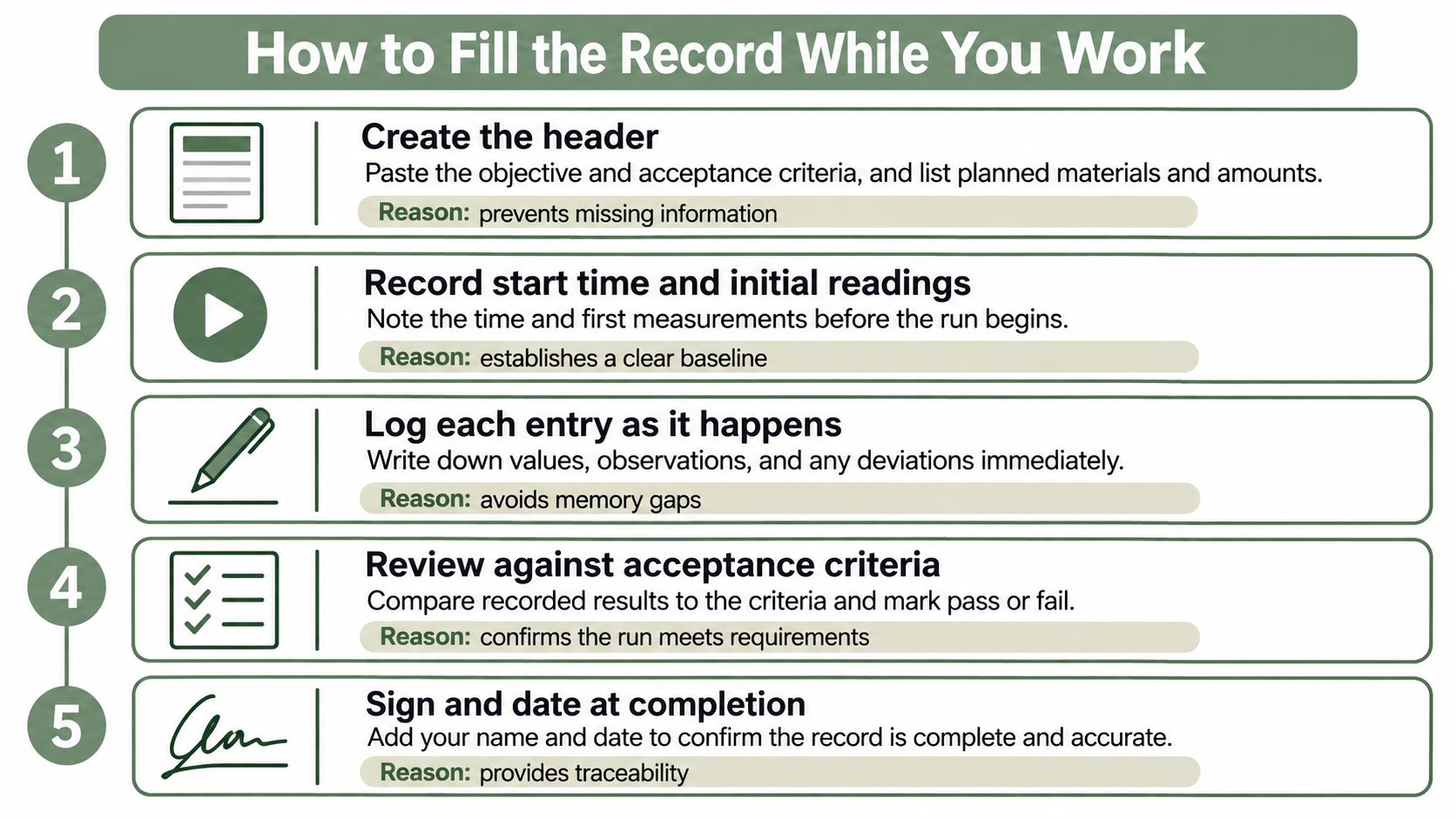
A final self-check is deliberately short: no missing units, no undated rows, and no overwritten values. Any remaining gap should be identified explicitly rather than filled from an uncertain recollection.
Timestamps, Corrections and Attribution
A record is trustworthy when the original entry stays visible and every change explains itself. The FDA's data-integrity guidance describes the ALCOA attributes for complete, consistent, and accurate laboratory data:
- Attributable: The entry identifies the person responsible.
- Legible: Another person can read the value and its context.
- Contemporaneous: The observation is recorded when the activity happens.
- Original or a true copy: The source remains available or is faithfully preserved.
- Accurate: The entry represents the observation correctly.
Correct the entry without erasing its history
On paper, draw a single line through the incorrect value so it remains readable. Enter the corrected value separately, then add initials, the date, and the reason. Electronic corrections need an equivalent attributable history, not silent replacement.
For example, an illustrative lot entry 4471B8 becomes 4471B, with the reason: Transcribed from label photo; label reads 4471B. The label photo remains associated with the correction.
The FDA guidance on data integrity expects retained records to include errors and failing, passing, and suspect data with the metadata needed to reconstruct the activity. The MHRA GxP Data Integrity Guidance also calls for attributable changes with dates, timestamps, and time zones where applicable.
Make the timing unambiguous
Use a consistent 24-hour time format with the date, and include the time zone for cross-site records or work spanning overnight. Preserve associated timer records and images where they support the event sequence.
The good documentation practices guide provides a useful companion to these correction mechanics.
A quick correction check looks for an initial, a date, a reason, and a unit where the corrected value is a measured quantity.
Research Notebook Versus Regulated Batch Record
| Aspect | Research lab record | Regulated batch record |
|---|---|---|
| Who writes the entries | Scientist running the experiment | Operator, with an independent checker for significant steps |
| Template source | Lab or ELN template | Approved master production or control record |
| Change control | Lab correction practice | Controlled template version and revision history |
| Deviation handling | Noted in observations and conclusion | Deviation or investigation reference linked to the step |
| Review | PI or supervisor review when policy requires it | Second-person review before batch release |
| Audit trail | Attributable, timestamped entries | Shows who changed what, when and why, with the original kept reviewable |
A rigorous research record isn't automatically a regulated batch record. The laboratory should agree the documentation level with its quality contact before execution, rather than upgrade the label after someone questions a result.
PDA's 2025 comments on good documentation guidance distinguish the approved master batch record from the executed record for a particular batch and address deviations, investigations, sampling, testing, and review. That distinction matters: the template describes the authorized work, while the executed record preserves evidence of its performance.
Decide the control level before execution
A research team may revise its notebook layout as an investigation develops. Regulated execution requires an approved route for changing instructions, assessing deviations, and reviewing the completed evidence.
ICH Q7 emphasizes checking batch production records before issuance and documenting significant steps with the signatures of personnel performing and directly supervising or checking them. Adding an empty checker column doesn't establish that process.
The audit-trail row is especially important. A timestamp shows when a note was captured, but it doesn't by itself explain who later changed a result or why.
A structured capture tool can support contemporaneous documentation. It doesn't replace a validated GMP system, the applicable quality agreement, or the laboratory's approved review and release procedures.
Adapting the Template for ELN and Audit Needs
For drug products, 21 CFR 211.188 requires a complete batch-specific production and control record and identifies at least 13 categories of information, including equipment and production lines, component batch identities, weights and measures, laboratory results, yields, personnel, sampling, and investigations. It also requires an accurate reproduction of the applicable master record that has been checked, dated, and signed.
Those requirements aren't a generic research-lab checklist. They provide a useful way to ask whether the record connects the work to its evidence.
| Regulatory concept | Practical research field |
|---|---|
| Equipment and line identity | Equipment ID, with relevant calibration-status reference |
| Component batch identity | Reagent lot, expiry, and source label |
| Weights and measures | Actual quantity, unit, calculation reference |
| Laboratory results and yield | QC result, acceptance assessment, yield where meaningful |
| Personnel, sampling, investigations | Operator and checker identities, sampling details, deviation reference |
For ELN transfer, keep one concept in each field. A single cell containing reagent name, quantity, lot, and an unexplained correction is difficult to review after copying.
The electronic lab notebook template can help align section names with the destination record. The laboratory should also decide where the reviewed version lives and which file is merely the transfer copy.
Verbex is an ELN companion, not an ELN, LIMS, QMS, or validated system. Records move by export rather than automatic ELN synchronization, and the scientist remains responsible for review and transfer into the official workflow.
Mistakes That Make Records Hard to Trust
Adding fields doesn't make a record trustworthy. A complete-looking form can still contain copied values, unsupported conclusions, and observations nobody can interpret.
A difficult-to-read source entry needs attention before it becomes part of a polished record.
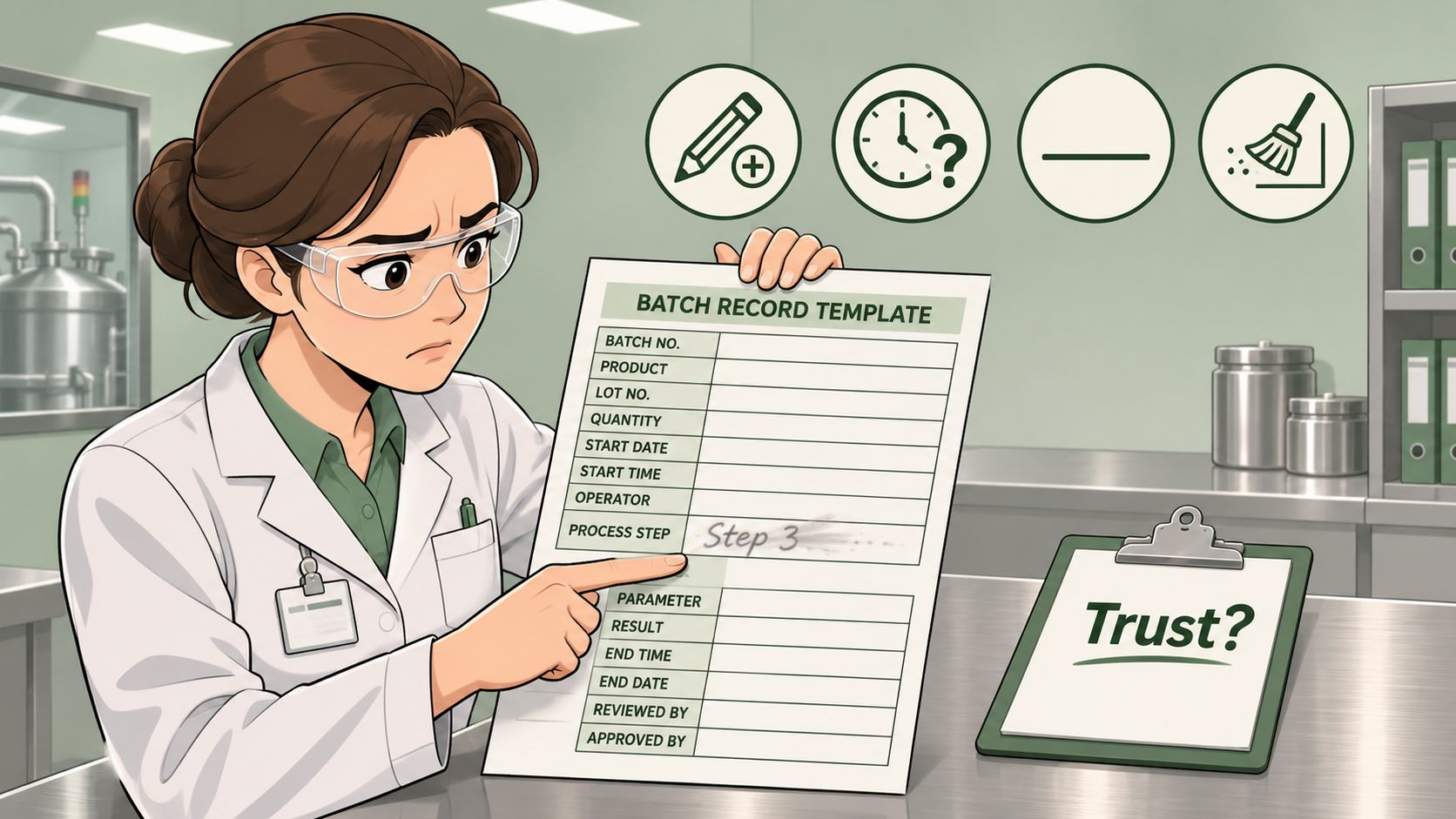
- Copy-forward values: Require each run's own lot numbers and readings instead of retaining the previous experiment's entries.
- Vague observations: Replace looked fine with the visible condition, measurement, time, and source.
- Missing units or instrument IDs: Make these explicit fields beside the result rather than optional details in a narrative.
- Absent checking: Add checker initials and a date beside significant steps where the approved workflow requires verification.
An illustrative before-and-after pair shows the difference. Solution fine becomes 14:20, solution clear, pH 8.0 measured on meter 3, initials AL. The revised entry states what was observed without pretending that appearance alone establishes suitability.
The accompanying video offers another resource for considering record practice.
A neat summary cannot repair missing source entries. If a value can't be traced to a note, reading, image, or timer, the conclusion should identify that uncertainty instead of presenting it as established fact.
Exporting and Keeping Your Records
| Format | Best use | Watch for |
|---|---|---|
| Read-only archive and printed review copy | Hard to edit, so keep the editable source | |
| DOCX | Reviewer edits and copying into a document workflow | Layout can shift between software versions |
| Markdown | Plain-text transfer and version-controlled archives | Tables and images need manual handling |
PDF suits a stable review copy, although the file format alone doesn't prevent changes. DOCX suits a reviewer who needs to edit text, while Markdown suits workflows that prioritize readable plain text and version comparisons.
Verbex exports completed records in these formats for archiving or transfer into an existing documentation workflow. The scientist moves the file or pastes the reviewed text into the destination system.
Preserve the evidence behind the export
Keep original source captures alongside the export under the laboratory's agreed storage policy. Check that transferred records preserve correction context rather than displaying only the latest value.
For teams evaluating storage approaches, Acres provides a resource to compare local-first note taking apps. Such a comparison can inform tool selection, but the lab still needs its own retrieval, access, and backup arrangements.
Regulated retention periods require separate attention: 21 CFR 211.180 generally requires drug-batch records to remain available for at least one year after expiration, or three years after distribution for certain over-the-counter products without expiration dating. A research lab should confirm its retention rule with the PI or quality office before archiving begins.
Choose Your Template and Start the Next Record
Choose the template and its control level before the first run. A single-day buffer preparation needs different Procedure rows from a multi-day cell culture run or a method-development experiment.
Match the layout to the work. Buffer preparation needs quantities and endpoint measurements. Cell culture needs recurring dated observations; method development needs clear distinctions between planned changes and unexpected events.
Agree the required controls. The PI or quality contact should determine whether independent checks, controlled revisions, or formal deviation references apply. Adding these controls requires an agreed process, not merely a renamed research log.
Establish the capture habit. Complete the header and objective before execution, then record observations as they occur. The template should help the scientist document the work without interrupting critical operations.
Verbex offers a free Lab Documentation Pack with 16 editable templates across 42 Word, Excel, and PDF files, including worked examples and working formulas. The templates are licensed under CC BY 4.0, permitting use, sharing, and adaptation for any purpose with credit to Verbex.
These are documentation scaffolds, not scientific, safety, legal, or regulatory advice. Worked examples, formulas, and every experimental number require local review and validation; a template doesn't replace an approved method.
The next useful action is concrete: select the relevant template, adapt its Procedure rows, and have the responsible colleague review it before use.
Verbex offers editable templates and private, on-device bench capture for turning a batch record template into a source-backed record for human review. Visit Verbal Experiment or Verbex for the Lab Documentation Pack or Verbex for iPhone and iPad, free to download, with voice notes, typed notes, images, timers, and PDF, DOCX, or Markdown export. It remains a companion to the laboratory's official ELN or validated system, not a replacement.