 Blog
Blog
7 Buffer Calculator Options for Bench Work and Teaching
On a Friday afternoon, a phosphate buffer has to be ready for Monday, the pH meter is still calibrating, and the only recipe on the bench is a handwritten note with one smudged number. That is exactly where a buffer calculator earns its keep, it turns a target pH into a workable first pass, fast. The catch is that the calculator stops where the bench starts. Temperature, ionic strength, salt form, dilution, and final verification still belong in the lab notebook and at the meter.
Table of Contents
- 1. MilliporeSigma Buffer Calculator
- 2. ConductScience Buffer Calculator
- 3. RayCrest Buffer Calculator
- 4. MolBiologyTools Free Online Buffer Calculator
- 5. Pearson Channels Buffer Preparation Calculator
- 6. AmChromaLab Buffer Recipe Calculator
- 7. Agilent Buffer Advisor Software
- Top 7 Buffer Calculators: Feature Comparison
- Pick the Right Calculator, Then Check the Recipe Yourself
1. MilliporeSigma Buffer Calculator
MilliporeSigma's Buffer Calculator is the kind of tool that gets used because it is already there and it is easy to trust. It leans on the Henderson–Hasselbalch relationship, so the output is straightforward for routine buffer prep, especially when the job is to get from target pH to an acid-base ratio and a working volume.
Where it helps at the bench
For standard preparation work, that simplicity is the point. The tool is quick for common lab units and predictable for everyday molarity and dilution checks, which makes it a decent fit when someone just needs a phosphate, Tris, or similar buffer recipe without opening a spreadsheet.
Practical rule: Use this kind of calculator for the first pass, then verify the recipe against the actual salt hydrate and the actual final volume before anything gets weighed.
What it leaves out matters more when the buffer is touchy. It does not give wet-lab guidance for adjustment order, and it does not solve the temperature problem that shows up hard with Tris, where pKa shifts with temperature. A bench scientist still has to decide whether to adjust at room temperature, cold-room temperature, or assay temperature, then write that choice down.
For a quick concentration or dilution sanity check, the C1V1 calculator guide is a useful companion when the math is the only question left.
2. ConductScience Buffer Calculator
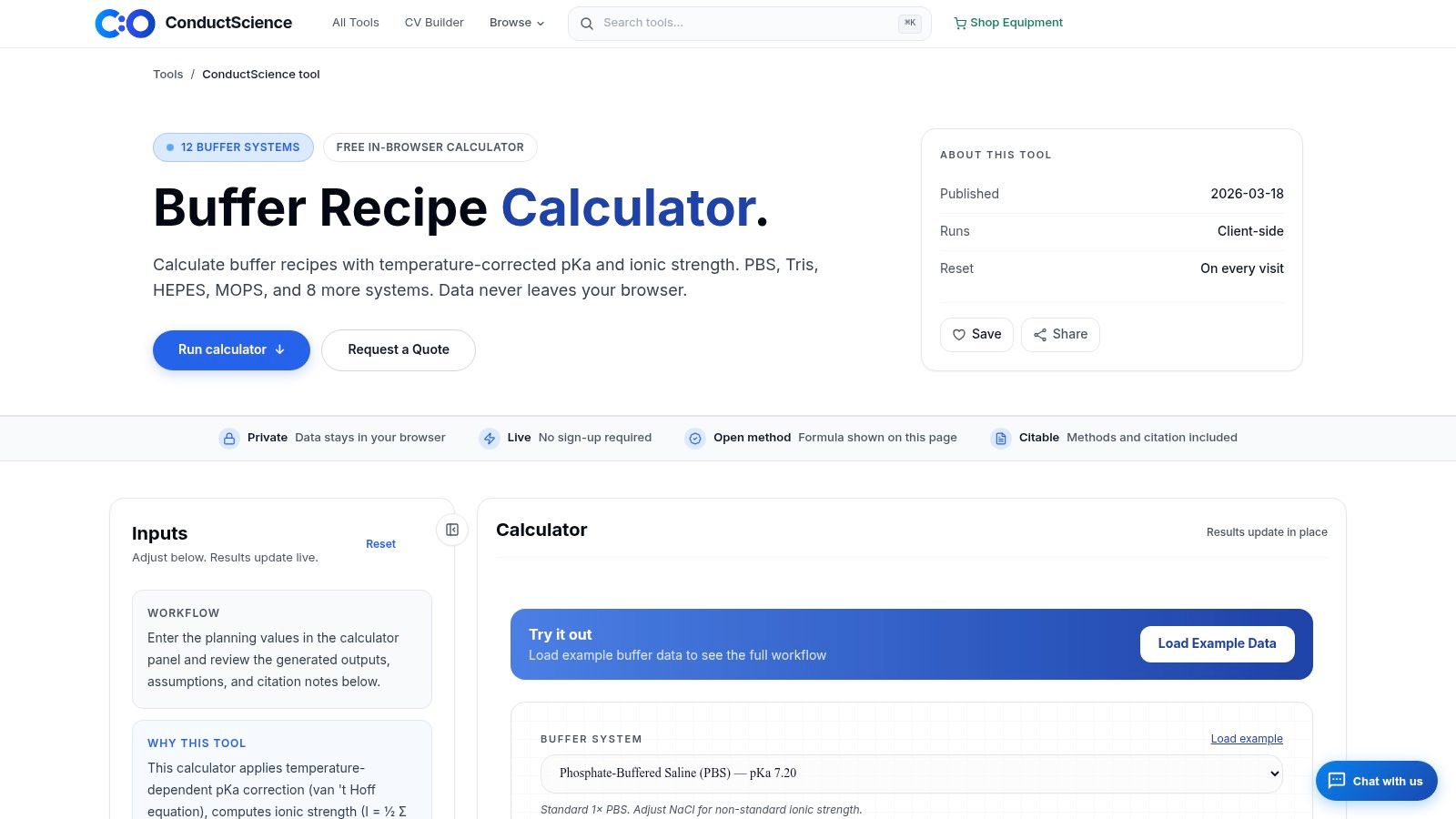
ConductScience's Buffer Calculator feels more like a teaching aid than a bare calculator, which is useful when trainees keep asking why the recipe changed after dilution. It presents common buffer systems with notes and caveats, so the output does a bit more than spit out a number.
Better for context than for optimization
That context helps with PBS, Tris, HEPES, MOPS, TAE, and TBE, especially in teaching labs where the reader needs to see the recipe and the reason side by side. The caveat notes are the useful part, because they remind users that a recipe is not the same thing as a stable working buffer.
The trade-off is that the tool stays fairly basic where wet work gets messy. It does not model temperature or activity corrections in a serious way, and it is not the calculator a chromatography team wants when stock blending gets more complicated. For molecular biology and bench teaching, though, it keeps the conversation honest.
A calculator that explains the buffer choice is often more useful for trainees than one that only returns grams and milliliters.
3. RayCrest Buffer Calculator
RayCrest's Buffer Calculator is the sort of browser tool that bench people end up using because it feels close to how they prep solutions. It lets the user define a target pH, concentration, and volume, then walks through the recipe in steps instead of hiding the logic.
Clean output, low friction
That stepwise style is helpful when a protocol is being checked by hand. If the goal is to compare a phosphate or Tris recipe against a notebook entry, the output is easy to scan and easy to copy into a preparation sheet. The companion iOS lab calculator also makes the same workflow more convenient at the bench, where a phone or tablet is already in hand.
The limitation is not really the math, it is the scope. This is good for recipe design, but it is still a calculator, not a record system. If the pH drifts during adjustment, or the buffer was made at the wrong temperature, the tool won't know that. That is the gap a bench record has to close.
Bench note: A clean recipe is not the same thing as a verified preparation. The notebook still needs the measured pH, the temperature, and any correction made after mixing.
4. MolBiologyTools Free Online Buffer Calculator
MolBiologyTools' Free Online Buffer Calculator is built for everyday molecular-biology work, and that shows in the presets. PBS, TBS, TAE, TBE, SSC, and TE are the kinds of buffers many labs use repeatedly, so fixed recipes reduce the chance of typing errors.
Best when the recipe is familiar
That makes this tool practical for repetitive work, especially when a lab wants a quick answer for a known system instead of a full derivation. The design-by-target-pH path is still there for custom needs, but the value is that the common recipes are already laid out.
The drawback is the same one that comes up in many free calculators. It handles the recipe, not the whole experiment. Ionic-strength modeling is limited, temperature handling is limited, and chromatography-style buffer design is not its strength. For standard molecular-biology buffers, though, it keeps the prep side simple.
The serial dilution guide is the better companion when the buffer prep depends on dilution steps and the user wants the arithmetic checked cleanly before the reagent bottle gets opened.
5. Pearson Channels Buffer Preparation Calculator
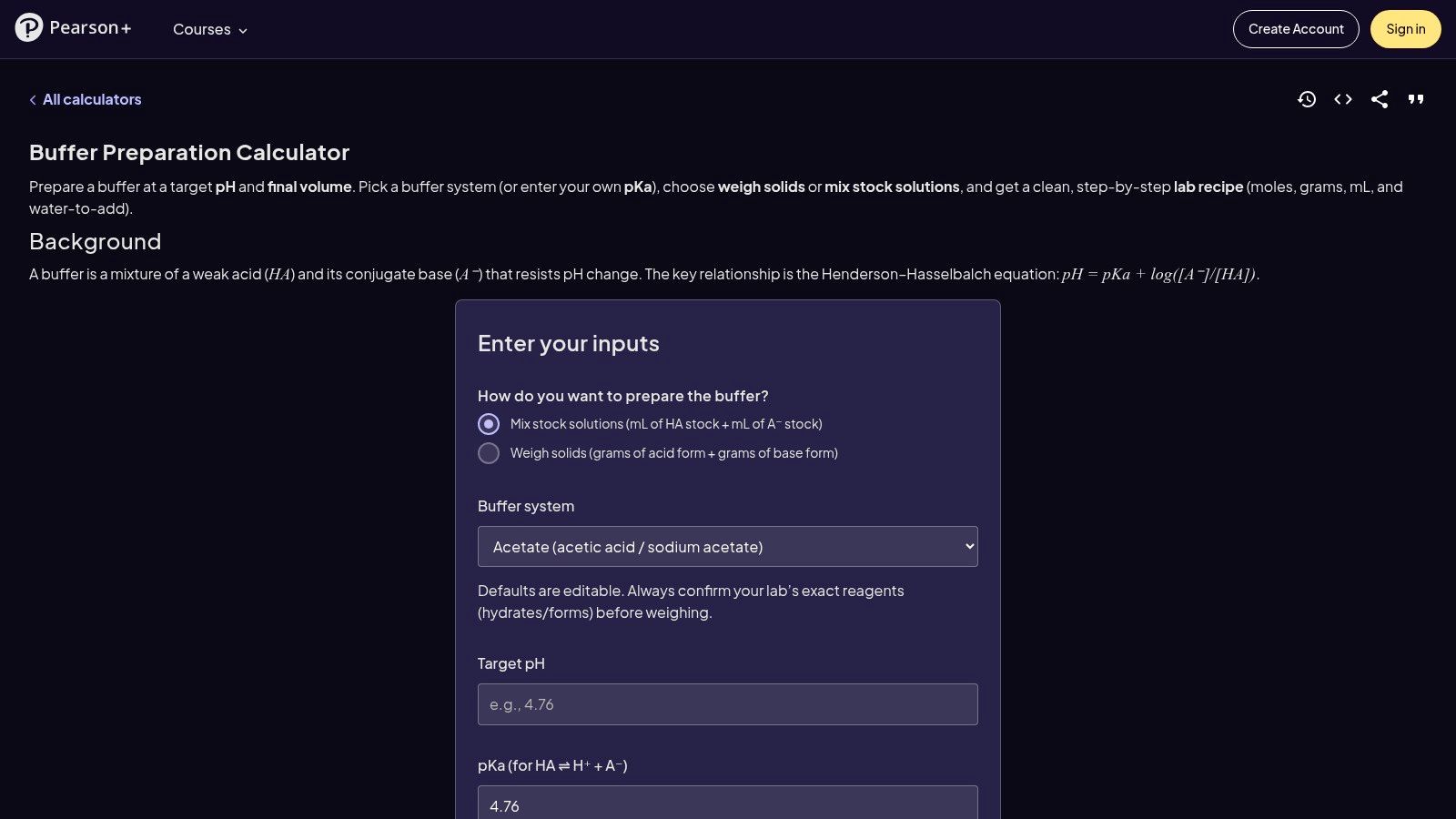
Pearson Channels' Buffer Preparation Calculator is the clearest of the group for a classroom setting. It shows the equations and maps the inputs to the output, which helps when a student needs to see why the ratio shifts as pH moves around pKa.
Good for teaching, checking, and explaining
That transparency makes the calculation easier to defend during method training. Pearson also offers a separate buffer-capacity calculator based on the Van Slyke approach, which answers a second question: how much acid or base the buffer can absorb before it stops behaving. The general chemistry point stays the same, useful buffering is strongest near pKa, and the tool makes that relationship visible.
The practical limit shows up at the bench. Education-oriented calculators can feel clean on screen, but they are less convenient when someone wants a fast recipe with lab-ready prompts. The capacity model also needs care for polyprotic systems, so it works better for teaching the concept than for treating every buffer as a simple acid-base pair.
A quick mass-to-volume check still matters when the bottle label, hydrate form, and final volume are the leading sources of error. For that step, the molarity calculator is the faster companion.
6. AmChromaLab Buffer Recipe Calculator
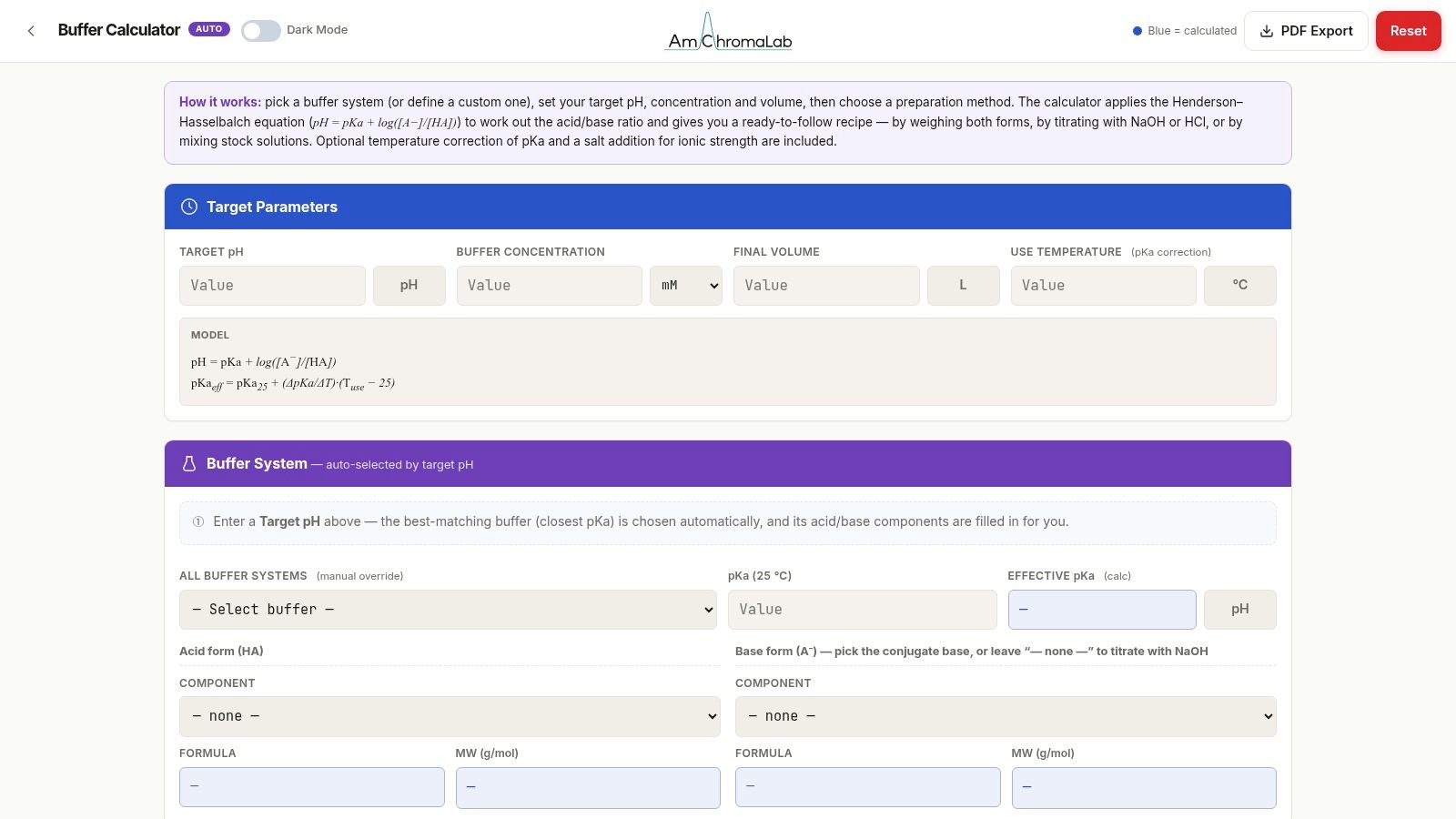
AmChromaLab's Buffer Recipe Calculator is aimed at chromatography prep, and that focus shows. It supports preset and custom buffer systems, then adds preparation-method notes that connect the chemistry to the workflow instead of leaving the user with a naked number.
Useful when method notes matter
That is a real advantage for downstream work. A chromatography buffer is not just a solution at a pH, it also has to behave during loading, equilibration, washing, and elution. A calculator that includes the prep logic and the method rationale is more useful than one that only returns a ratio.
The limitation is scope again. It does not integrate with instrument control, and it is not trying to be a full process platform. That is fine for preparative work, because most bench scientists still want a recipe they can make, verify, and document, not a black box that pretends to run the system for them.
7. Agilent Buffer Advisor Software
Agilent Buffer Advisor Software is the most specialized option here. It is built for ion-exchange chromatography, buffer design, pH scouting, and blending from stock solutions, so it serves a different bench problem than a simple recipe calculator.
Strong for chromatography, not for casual prep
This is the tool for people designing workflows, not just making one bottle. It generates recipes and pump timetables, and it can account for pH shifts during salt gradients, which makes sense for scalable chromatography work where the output has to match the instrument.
The trade-off is obvious. It is paid software, and it is tuned to IEX and LC workflows rather than general bench buffer prep. For a teaching lab or a small research group making a handful of standard buffers, it is more tool than they need. For process-heavy chromatography work, the specialization is the reason to use it.
Top 7 Buffer Calculators: Feature Comparison
| Tool | Implementation Complexity | Resource Requirements | Expected Outcome | Ideal Use Cases | Key Advantage |
|---|---|---|---|---|---|
| MilliporeSigma Buffer Calculator | Low; enter concentrations and quantities | Free web access; common lab units | pH, molarity, dilution, and preparation calculations | Routine preparation of common buffers | Fast, vendor-backed calculations |
| ConductScience Buffer Calculator | Low; guided calculator with explanations | Free web access | Buffer recipes with application notes and caveats | Bench preparation, teaching, and common lab buffers | Practical context helps prevent preparation pitfalls |
| RayCrest Buffer Calculator | Low; recipe-focused interface | Free web access; companion iOS app | Stepwise recipes for target pH, concentration, and volume | Bench-side buffer and dilution calculations | Saveable, shareable recipes and mobile access |
| MolBiologyTools Free Online Buffer Calculator | Low; presets or target-pH design | Free web access | Recipes for common molecular-biology buffers | Everyday molecular-biology lab work | Presets and hydrate-form support reduce entry errors |
| Pearson Channels Buffer Preparation Calculator | Moderate; requires interpreting inputs and assumptions | Free web calculators | Buffer composition and buffer-capacity estimates | Teaching, calculation checks, and method documentation | Transparent equations and assumptions |
| AmChromaLab Buffer Recipe Calculator | Moderate; select or define a system and preparation method | Free browser-based access | Buffer recipes with preparation guidance and chemistry rationale | Preparative chromatography and downstream processing | Connects recipe steps with the underlying chemistry |
| Agilent Buffer Advisor Software | High; configure stocks, scouting, and workflows | Paid software; compatible Agilent pump workflows for method export | Buffer blends, recipes, pump timetables, and pH scouting methods | Ion-exchange chromatography and process-scale workflows | Automates chromatography-focused buffer design and scouting |
Pick the Right Calculator, Then Check the Recipe Yourself
Use a buffer calculator for the first pass, then confirm the target pH, the acid and base forms, the salt hydrate, and the final volume by hand before weighing anything. Write each step in the notebook as you go, including any pH adjustment and the temperature at which the buffer was measured. For a quick unit or dilution check, the free Molarity Calculator covers that step.
A bench scientist can usually tell which calculator is enough by asking one question, does the tool only need to design the recipe, or does the record also need to survive review later? For simple prep, the lighter tools are fine. For sensitive phosphate, Tris, or chromatography buffers, the calculator gets the recipe started, but the notebook has to capture the actual preparation, the adjustment, and the deviation from the estimate.
Verbex is the lab notes app from Multimod Labs for iPhone and iPad. It captures bench notes with voice, text, timers, and images, then organizes them into a source-backed record that can be reviewed and exported as PDF, DOCX, or Markdown. That makes it a practical companion when the buffer recipe is only one part of the job and the core issue is documenting what happened at the bench.
If buffer prep starts on a calculator and ends in a notebook, Verbex keeps the bench record together without adding cloud steps or account friction. Visit Verbal Experiment to see how source-backed notes, timers, and images can sit alongside the recipe you just checked by hand.